
Installer IPTV på din Android-smartphone, BOX og TV (IPTV Smarters Player)
- marts 2021
IPTV Smarters er en af de mest brugervenlige IPTV-afspillerapplikationer, der giver dig mulighed for at se Live TV, VOD, serier, Catch-up og Multi-Screen på dine Android-enheder (mobiltelefoner, Android Boxes, Fire TV Stick osv.). En af de mest interessante funktioner i IPTV Smarters er Catchup. Der er ikke mange applikationer, der tilbyder Catchup, før har vi kun denne funktion i MAG-bokse. Derudover har du en Multi-Screen-funktion, hvor du kan se op til 4 kanaler samtidig.
Du kan tilføje IPTV-kanaler til IPTV Smarters på to måder:
- Opsætning via Xtream Codes API.
- Setup via Playlist.
Opsæt IPTV Smarters via Xtream Codes API
Vi anbefaler opsætning via Xtream Codes API, fordi du får Catchup-funktionen på den måde og heller ikke behøver at tilføje nogen EPG-URL (den indlæses automatisk).
TRIN 1:
Start med at downloade IPTV Smarters-appen fra Google Play Store via denne URL:
https://play.google.com/store/apps/details?id=com.nst.iptvsmarterstvbox&hl=en_US
installer appen på din Android-enhed.
TRIN 2:
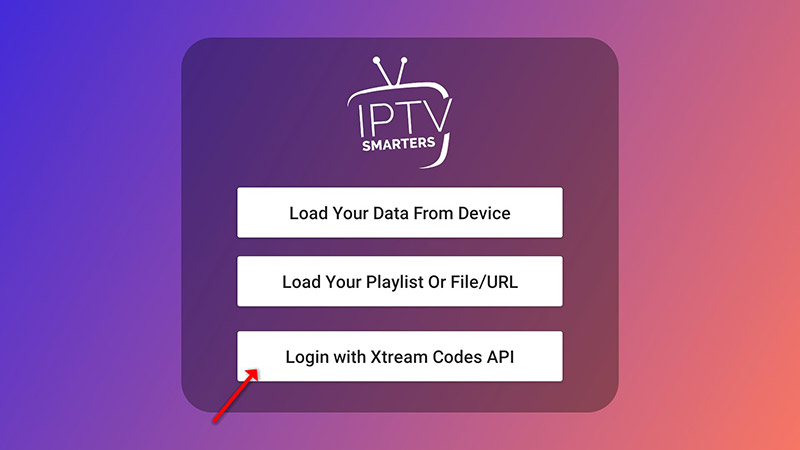
Åbn appen, når den er downloadet, og klik på “Tilføj bruger” og klik derefter på “Log ind med Xtream Codes API”.
TRIN 3:
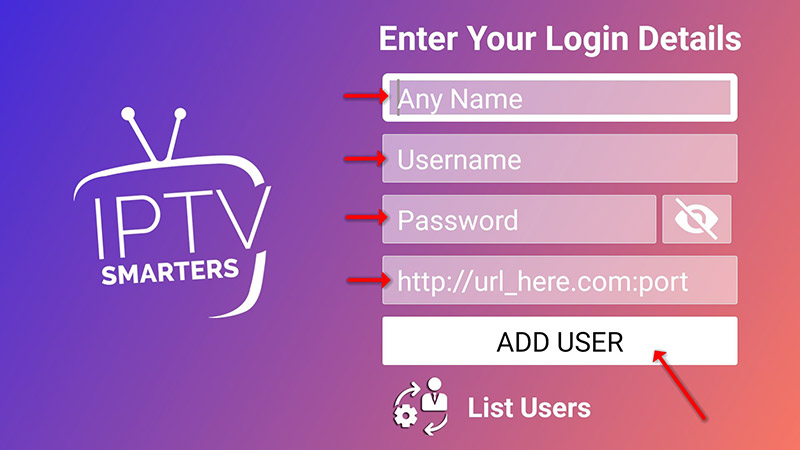
I dette trin vælger du i den første boks et navn, du ønsker, for eksempel “IPTV Xtream”. I den anden og tredje boks indtaster du “Brugernavn” og “Adgangskode” på din M3U-linje samt serverens URL, som også kan findes på din M3U-linje.
Klik nu på “TILFØJ BRUGER” for at gå videre til næste afsnit.
TRIN 4:
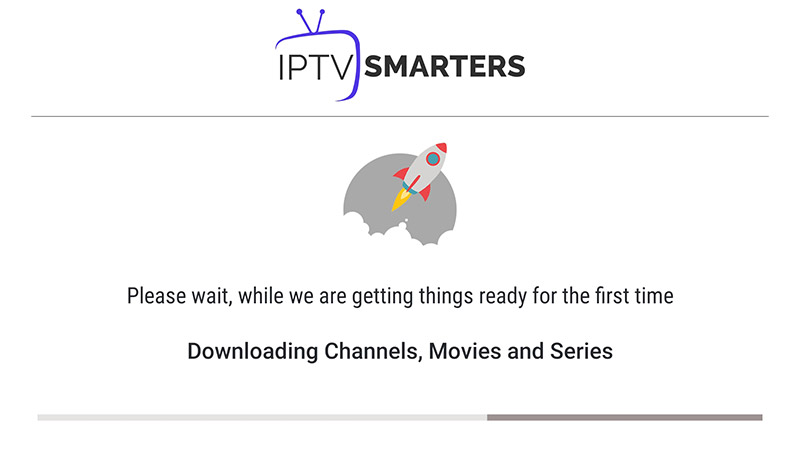
Vent et øjeblik.
TRIN 5:
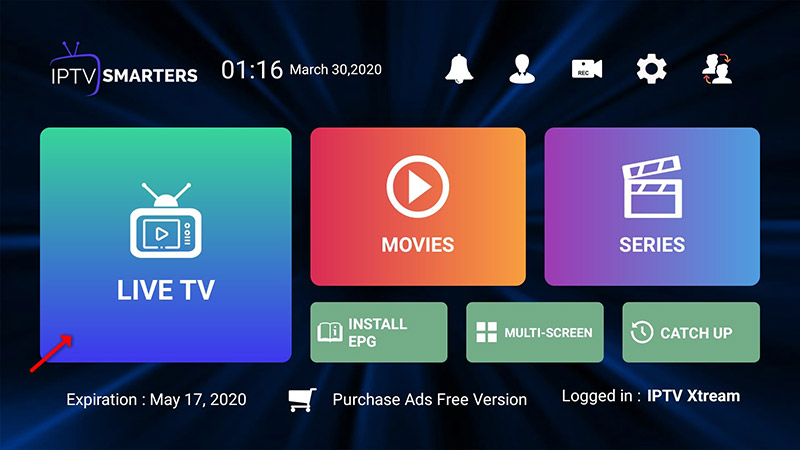
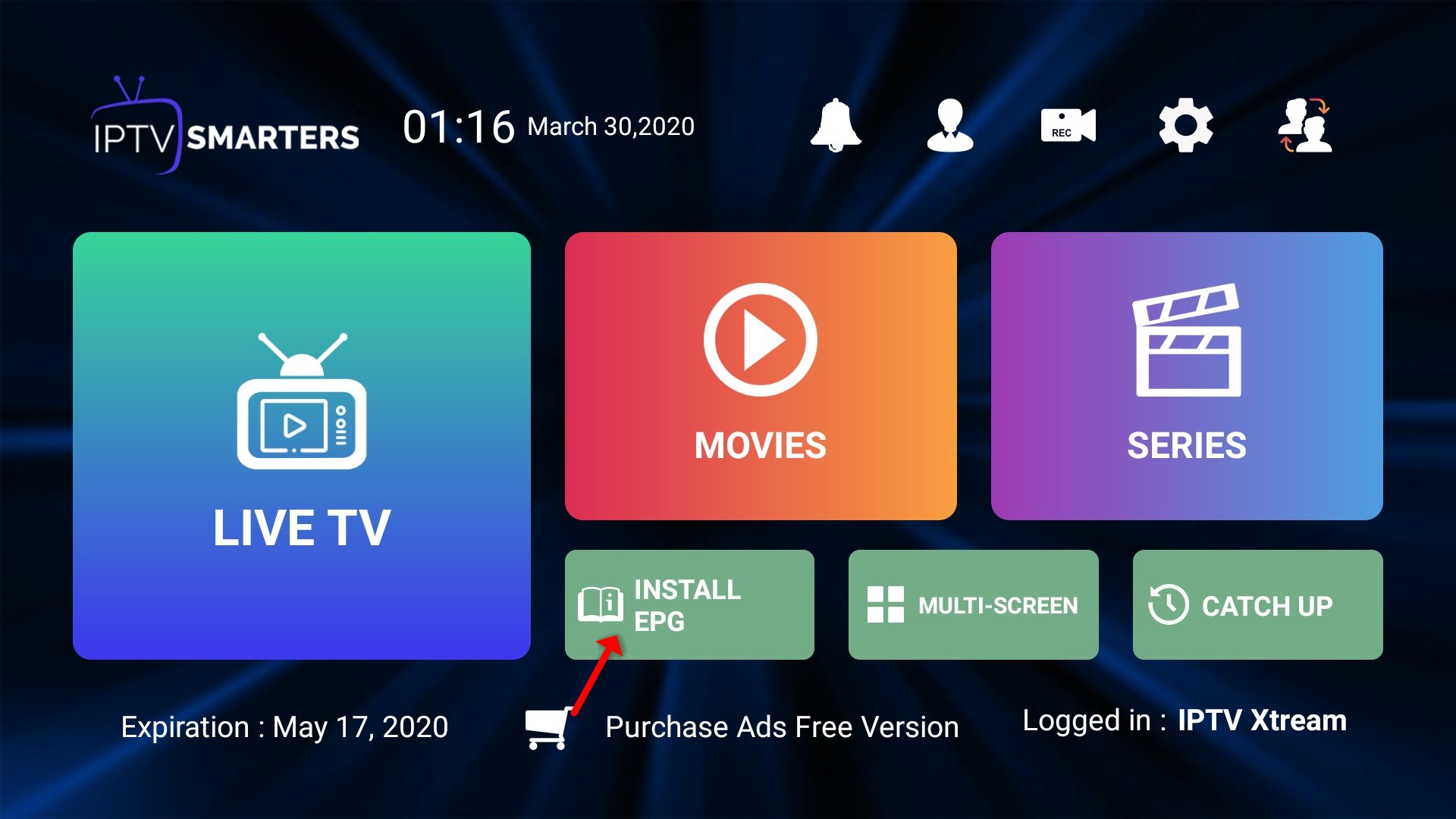
Klik nu på ikonet “Live TV“, som det vises på billedet via en rød pil.
TRIN 6:
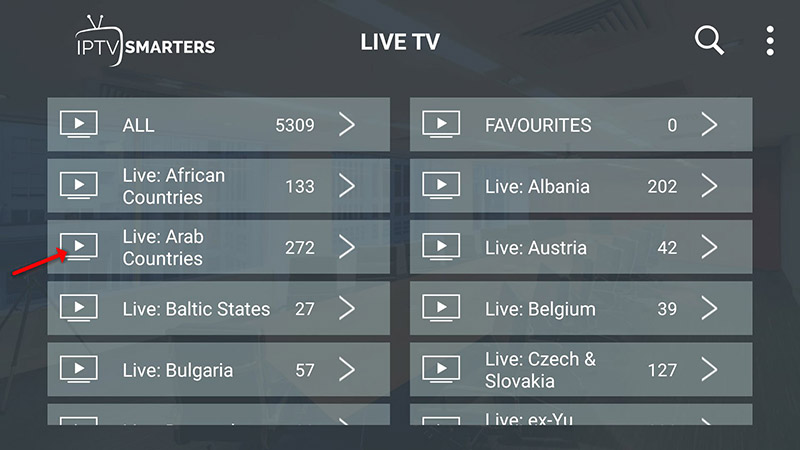
Nu skal du vælge den kanalgruppe, du vil se, og gå videre til næste sektion.
TRIN 7:
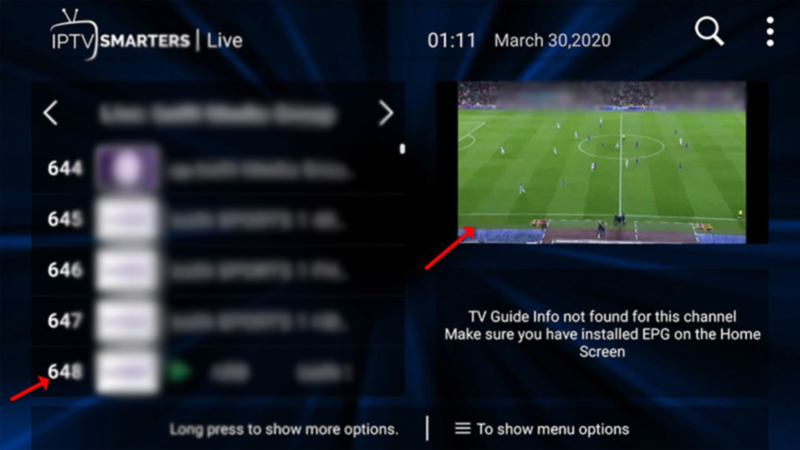
Nu skal du klikke på kanalnavnet og derefter dobbeltklikke på den lille skærm for at gøre det til fuldskærm som det sidste trin.
TRIN 8:
For at tilføje EPG behøver du ikke tilføje nogen EPG URL, klik blot på “Installer EPG“.
Opsæt IPTV Smarters via playliste
Hvis du ikke har et Xtream Code API, kan du bruge en M3U URL og vælge at indlæse din playliste eller fil URL.
TRIN 1:
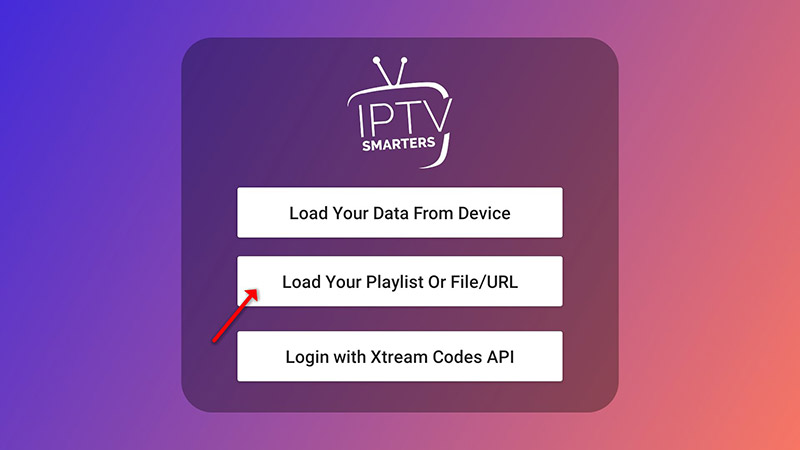
Åbn appen, når den er downloadet, og klik på “Tilføj bruger” og klik derefter på “Log ind med playliste“.
TRIN 2:
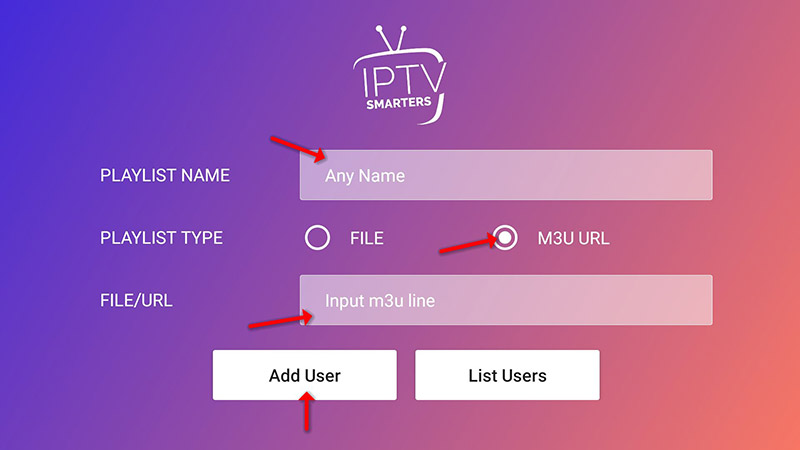
I dette trin, i den første boks, vælger du et navn, du ønsker, for eksempel “IPTV Playlist”. Vælg “M3U URL” og indtast M3U URL’en, som du får fra din IPTV-udbyder.
TRIN 3:
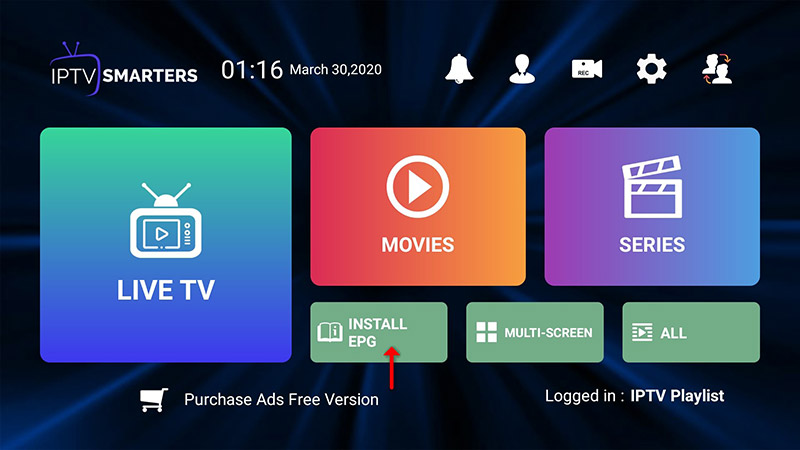
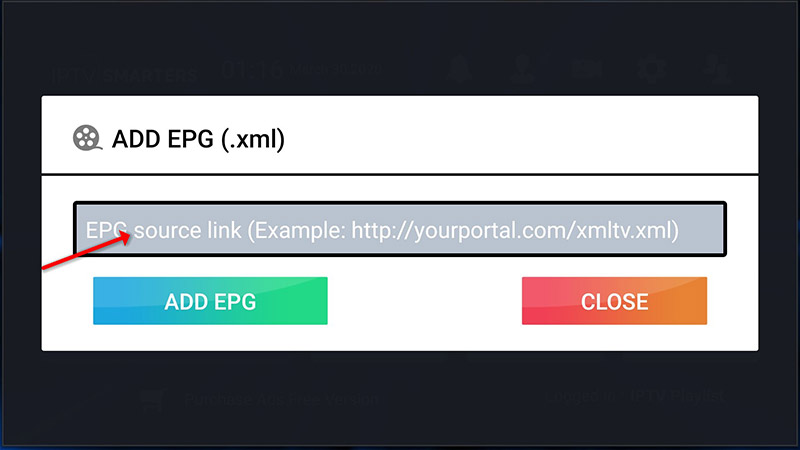
For at tilføje EPG klik på “Install EPG” og indtast EPG-URL’en.
TRIN 4:
Klik nu på “Live TV“-ikonet, vælg kanalgrupper og derefter den kanal, du vil se.
Install IPTV on your Android Smartphone, BOX, & TV (IPTV Smarters Player)
IPTV Smarters is one of the most user-friendly IPTV player applications that provides you the facility to watch Live TV, VOD, Series, Catchup, and Multi-Screen on your Android Devices (Mobiles, Android Boxes, Fire TV Stick, etc.). One of the most interesting features in IPTV Smarters is Catchup. They are not many applications that provide Catchup, before we only have this feature in MAG boxes. Also, you have a Multi-Screen feature in which you can watch up to 4 channels simultaneously.
You can add IPTV channels to IPTV Smarters in two ways:
- Setup via Xtream Codes API.
- Setup via Playlist.
Setup IPTV Smarters via Xtream Codes API
We recommend setup via Xtream Codes API because you will have the Catchup feature this way and also do not need to add any EPG URL (it will load automatically).
STEP 1:
Start by downloading IPTV Smarters app from the Google Play Store through this URL:
https://play.google.com/store/apps/details?id=com.nst.iptvsmarterstvbox&hl=en_US
install the app on your Android device.
STEP 2:
Open the app once downloaded and click on “Add user” then click on “Login with Xtream Codes API“.
STEP 3:
In this step, in the first box, select any name you want for example “IPTV Xtream”. On the second and third boxes, enter the “Username” and the “Password” of your M3U line and the server URL which can also be found on your M3U line.
Now Click on “ADD USER” to proceed to the next section.
STEP 4:
Wait some seconds.
STEP 5:
Now click on the “Live TV” icon as depicted in the image via a red arrow.
STEP 6:
Now you must select the channel group that you want to watch and proceed to the next section.
SETP 7:
Now you must click on the channel name and then double click on the small screen to turn into the full screen as the final step.
STEP 8:
To add EPG no need to add any EPG URL, Just click on “Install EPG“.
Setup IPTV Smarters via Playlist
If you don’t have an Xtream Code API, you can use an M3U URL and choose to Load Your Playlist or File URL.
STEP 1:
Open the app once downloaded and click on “Add user” then click on “Login with Playlist“.
STEP 2:
In this step, in the first box, select any name you want for example “IPTV Playlist”.
Select “M3U URL” and enter the M3U URL which you get from your IPTV provider.
STEP 3:
To add EPG click on “Install EPG” and enter the EPG url.
STEP 4:
Now click on the “Live TV” icon, select channels group then the channel you want to watch.